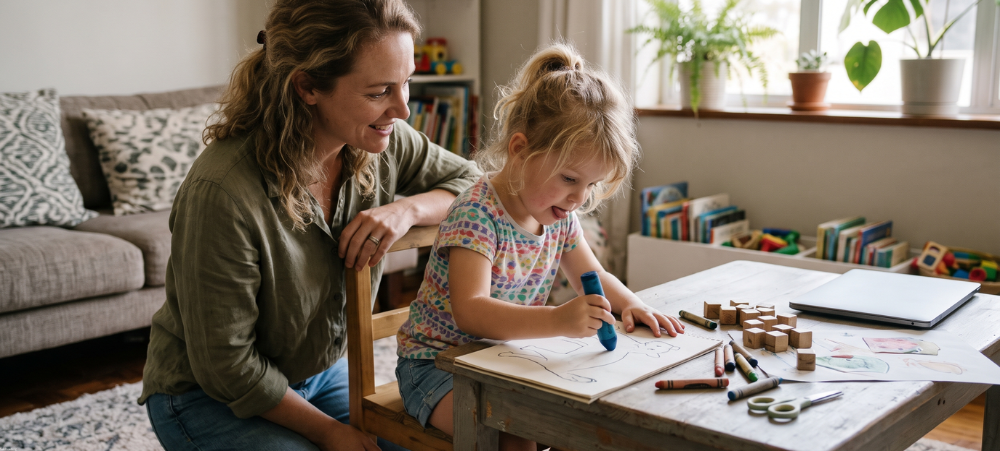

It’s 10:40 on a Tuesday and you’re in a meeting. Your 11-year-old should be halfway through a live maths lesson, and from where you’re sitting you can’t tell whether she logged on.
For a lot of working parents, that picture ends the conversation about online school before it starts. Supervision is the first worry, and it deserves a straight answer.
Who Supervises a Child at an Online School?
That depends on your child’s age. As a rough guide:
- Under seven: an adult at home and close by during live lessons.
- Seven to ten: an adult in the house who starts the day with your child and checks in between lessons.
- Eleven to thirteen: many children run their own timetable, with a check-in at lunch and another after the last lesson.
- Fourteen and older: teenagers manage their own day, and parents review progress once or twice a week.
The adult at home keeps the day on track and leaves the fractions to the maths teacher. That adult doesn’t need to be you. Families use a grandparent, a nanny or an au pair, or a Learning Pod. Pods are independent study spaces and tutors that supervise online learners and give them on-the-ground support, and CambriLearn lists pods in South Africa and in other countries. You can find a Learning Pod near you on its website.
What Does a School Day Look Like?
CambriLearn students follow a structured weekly timetable of live lessons taught by qualified subject specialists. They log in to CambriCampus, which holds the live lessons, coursework and recordings. Teachers mark the work and leave comments. On the Premium package, children can also message their teacher and join weekly live question-and-answer sessions.
CambriLearn publishes timetables for every grade, so you can lay your child’s week next to your work calendar before you enrol. Between lessons, your child works on set tasks, eats lunch and takes breaks. For younger children, those gaps are where an adult nearby matters most.
How Do Working Parents Keep Track During the Day?
CambriCommand, CambriLearn’s parent view, shows attendance, progress and standing as the week unfolds. You can open it between meetings and see whether your daughter made it to maths.
Since 21 October 2026, CambriLearn parents can connect CambriCommand to Claude, the AI assistant made by Anthropic, and ask in their own words. Questions like “Did Emma go to all her live lessons this week?” or “What homework is overdue, and what’s due next week?” get answers from the school’s records at that moment. Parents can also ask how far through a course their child is and whether a report card is ready. Ask it for a plan, such as two weeks of maths revision around upcoming lessons and outstanding homework.
The assistant can read but never change anything, and it sees only the children linked to your account. You sign in on CambriLearn’s own page, so Claude never sees your password, and CambriLearn emails a one-time code each time an assistant connects. The connection is free, it works on Claude’s free plan, and ChatGPT support is coming. You can switch it off from your CambriLearn profile at any time. Like any AI tool, it can get a summary wrong, so the school’s records stay the reference.
A routine that suits a working week: on Sunday night, ask for a summary of the week ahead, and on Wednesday, ask what’s been missed or is overdue.
What About the Days You Travel for Work?
Your child can attend from anywhere with a stable connection. If the family comes along on a work trip to Durban or Cape Town, your child logs in from the hotel or a relative’s house, on the same timetable. Children on the Premium package can message a teacher when you’re out of reach. Pack their headset and charger next to your own laptop bag.
What Happens If the Connection Drops?
Keep a mobile data bundle for the days the fibre goes down, and save the timetable on a phone as well as the laptop. If your child misses part of a live lesson, they can watch the recording in CambriCampus, and CambriCommand shows you which lesson they missed, so the two of you can sort it out that evening.
What Doesn’t Change When Your Child Learns at Home?
A child at home all day still needs lunch, movement and people. Set up a lunch routine, with something ready in the fridge for the days you’re out, and plan time outside after the last lesson.
Your child also needs friends. CambriCommunity, included with every CambriLearn enrolment, runs online clubs, study groups and live discussions, plus in-person sport, arts and adventure experiences through vetted partners. Only verified members can join, groups are age-gated by default, and the school uses AI moderation.
When Is Online School a Poor Fit for a Working Family?
It asks more than most families can give when nobody can be home with a child under ten, or when a child needs one-to-one support through the whole day. A Learning Pod or a relative’s help can close the first gap, and a consultation will tell you whether the second is workable.
Is Online School Realistic for a Two-Income Family?
For many families, yes, with planning. Before you commit, check four things:
- An adult within reach during lessons for children under ten.
- A reliable connection, with mobile data as a backup for outages.
- A fixed place to work, away from the television.
- Fifteen minutes on a Sunday to look at the week together.
CambriLearn is an accredited online private school for students aged 4 to 19, with more than 80,000 students taught since 2008. It is accredited by Cognia and Pearson Edexcel, registered with SACAI and the IEB, and NCAA approved. Its online primary school covers Grade R to Grade 7 on CAPS, KABV, the International British Curriculum and the US curriculum.
If your family runs on two jobs, book a free consultation and walk through a week of your child’s timetable against your own calendar.

- Can Your Child Do Online School If You Both Work Full-Time? - November 17, 2026
- Grade RR or Grade R in 2027? How to Tell Which Year Your Child Is Ready For - November 13, 2026
- Unhappy With Your Child’s 2027 School Placement? Your Options in Gauteng - November 4, 2026